
IT asset management
PCs, phones, SIMs and IT equipment from the stockroom to return, with signed forms and an Android app for technicians.
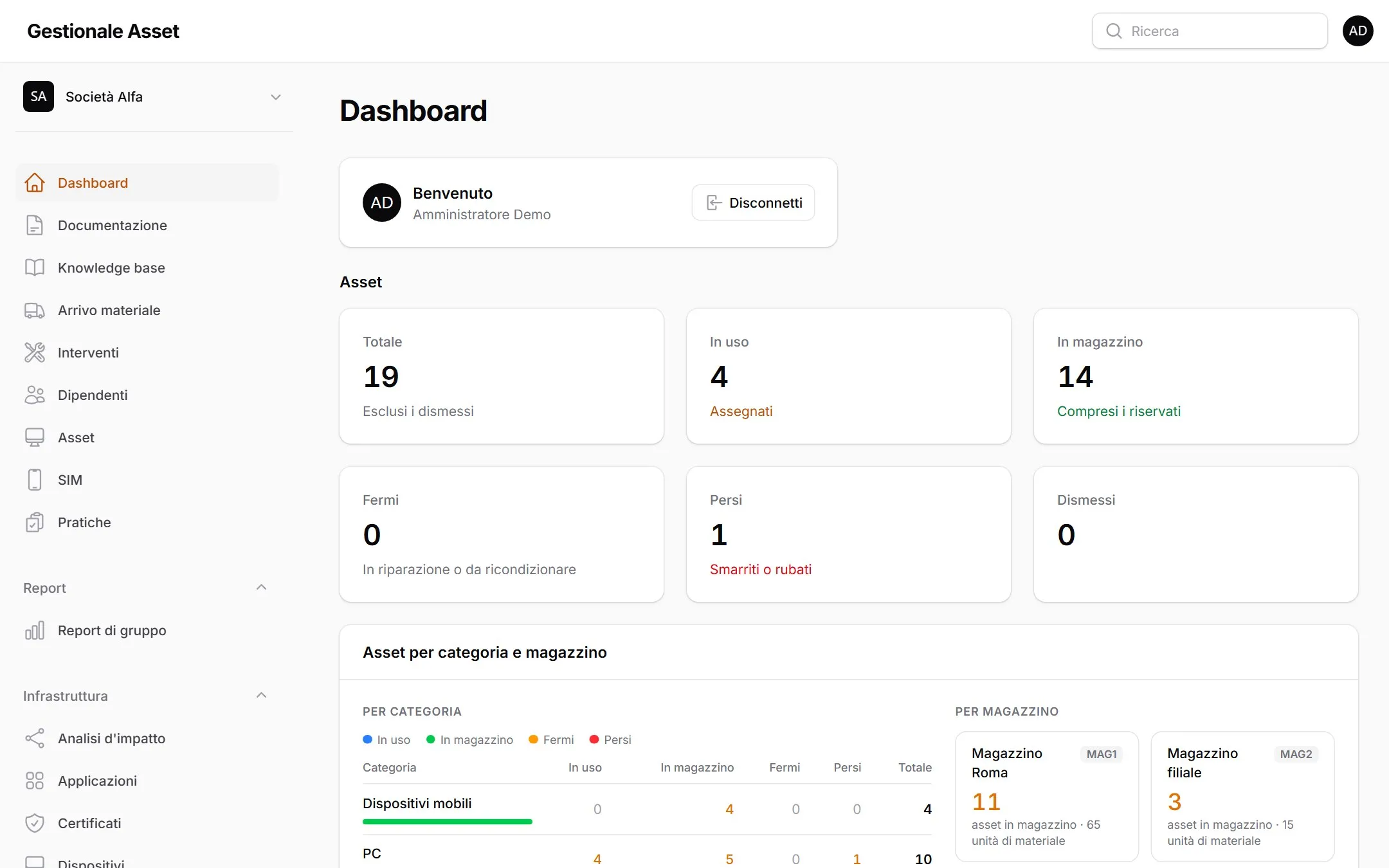
A platform for IT departments that manages the full lifecycle of company assets: incoming goods, stockroom, handover to the employee, repairs, replacements, return and disposal. One or more companies, each with its own separate data.
The problem
Excel sheets and tools that grew piece by piece cannot say for sure who has what. When an employee leaves something gets lost, stock counts do not add up and signed forms end up in scattered folders.
Who it is for
- Corporate IT departments
- Groups with several companies
- Service desks
- Companies with fleets of PCs and phones
Technologies
What IT asset management does
Full lifecycle
Arrival → stockroom → preparation → handover → repairs and replacements → return → refurbishment or disposal. Loss and theft are managed events.
One form per handover and return
Each case produces a single form listing all equipment; the signed scan is archived and linked.
Nothing lost when people leave
The user page shows everything the employee holds: assets, SIMs and shared devices they are responsible for.
Explainable stock
Stock only changes through a recorded movement: quantities can always be accounted for.
Active Directory sign-in
Users sign in with their corporate credentials; employees are synchronised from the directory.
Multi-company
Several companies on the same platform, with fully separate data, users and IT teams.
Import from SCCM, Intune, Knox and Excel
Inventory imported from existing sources with field mapping. Imports update technical data, never assignments.
Email alerts
Expiring certificates and other deadlines arrive by email, with no manual checks.
Android app for technicians
Label printing, stock counts and logging incoming equipment straight from the phone.
Dashboards and reports
Assets, SIMs, licences and refresh campaigns at a glance, with exports.
Designed to stay under your control
- Data isolated per company on every screen, search, export and API
- Active Directory authentication and tokens for the mobile app
- Assignments with a single source of truth and full history
- On-premises installation on Windows Server and SQL Server
Assign a sample device
Hand over a laptop to a fictional employee and watch the record, stock and history update. Returning it puts it back in stock: every quantity change comes from a recorded movement.
Fictional data. Runs only in your browser: nothing is sent, no real device or system is contacted.
History
Frequently asked questions
Who is IT asset management for?
Corporate IT departments, Groups with several companies, Service desks, Companies with fleets of PCs and phones.
Which platforms does it run on?
Web, Android.
How are security and data handled?
Data isolated per company on every screen, search, export and API. Active Directory authentication and tokens for the mobile app. Assignments with a single source of truth and full history. On-premises installation on Windows Server and SQL Server.
Which technologies is it built with?
Laravel, Filament, SQL Server, IIS, Active Directory / LDAP, Android, Kotlin.
Can I see a demo?
We will run a demo on your real use case and work out installation and customisation together.
Other ADAPTECH solutions
Refinery Alarm
Emergency alerts on staff phones, with tracked read confirmation.
Clinic management software
Scheduling, reports, consent forms and patient portal in one place.
DiscoverRemote Desktop P2P
Direct, encrypted remote control. The screen goes through no server.
Discover In development
KeepPix
Free up space on your phone. Your photos stay safe on your PC.
DiscoverWant to see IT asset management live?
We will run a demo on your real use case and work out installation and customisation together.